
I was recently writing about our latest experimental features—the implementation of Apache Arrow and Arrow Flight—and thought about some of the other OpenSearch features that are technically “experimental” but may not be getting the attention they deserve.
I’ve learned that something the OpenSearch Project takes very seriously is innovating and exploring new ways of breaking down problems into smaller, more easily digestible steps. Sometimes doing so requires a bit of experimentation. We have a number of features that are marked as experimental so that you can test tomorrow’s innovation today. Of course they’re cool and exciting, but they may border on risky in their experimental form. This frontier between stability and risk is exactly where innovation lives. We need your help to bring them to the forefront.
What are experimental features?
Experimental features aren’t quite production ready but represent significant innovation. They are best used in development environments, as not all of them have been in development long enough to be considered fully ready for production environments.
Why try something that isn’t done yet?
For one, you get early access to innovation. New algorithms, UI changes, performance optimizations, and bleeding-edge machine learning features are some examples of innovations that tend to get hidden behind feature flags. This is also an area in which community feedback directly shapes the future of OpenSearch. Your contributions to testing these features drive development and innovation forward. The light bulb did not come about through continual improvement of the candle.
How can I access these features?
An experimental feature hidden behind a feature flag can be accessed through a configuration option in either opensearch.yml or opensearch_dashboards.yml. Let’s look at a few examples.
Workspace for OpenSearch Dashboards
Workspace for OpenSearch Dashboards, shown in the following image, reconfigures the UI so that you’re able to tailor the on-screen elements in a way that is specifically targeted toward the use case you’re implementing. Observability use cases will rely heavily on visualizing health and performance through logs and metrics.
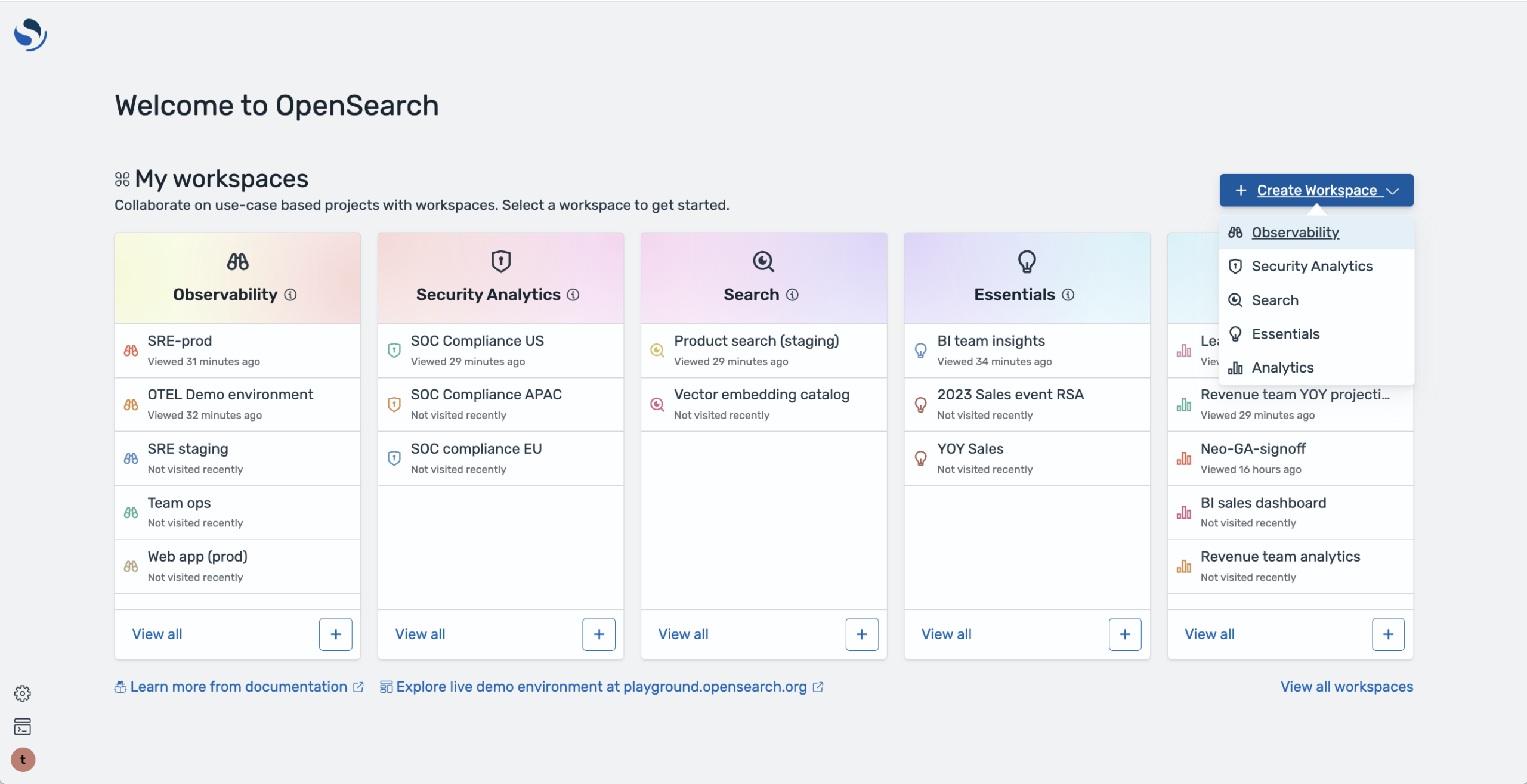
To enable the feature, drop a few lines into your opensearch_dashboards.yml file:
uiSettings:
    overrides:
        "home:useNewHomePage": true
If your cluster has the Security plugin installed, multi-tenancy must be disabled. Drop this into your configuration as well:
opensearch_security.multitenancy.enabled: false
Distributed tracing
The distributed tracing feature has been experimental since version 2.10 and is ideal for application tracing use cases. A couple of edits are needed to enable this feature:
- To your
opensearch.ymlfile, addopensearch.experimental.feature.telemetry.enabled=true. - Also add
telemetry.feature.tracer.enabled=trueandtelemetry.tracer.enabled=true.
Finally, install the OpenSearch OpenTelemetry plugin (telemetry-otel). For more information, check out the distributed tracing documentation.
Are there more?
There are several experimental features in OpenSearch. Our documentation will very clearly state that “This is an experimental feature and is not recommended for use in a production environment.”
One such experimental feature is index context, which declares the use case for an index. This allows OpenSearch to apply a series of preconfigured settings and mappings.
Also available for experimentation is the Security Configuration Versioning and Rollback API, which provides a means of version control for your security configuration. Changes are tracked, audit trails are created, and previous configurations can be restored if needed.
Perhaps one of my favorite experimental features is the Search API over gRPC. This allows you to query over gRPC while making use of protocol buffers for the purposes of transport and can be a very performant way to query your data.
I’m also very excited about the Pull-based Ingestion API. Instead of having a client or small sidecar app push data into OpenSearch, OpenSearch reaches out and pulls data, ensuring that the data is pulled at an acceptable rate and won’t negatively impact your cluster by ingesting documents too quickly. There are currently only two ingestion plugins, one for Apache Kafka and one for Amazon Kinesis. You can read more about pull-based ingestion here.
Experiment responsibly!
You should not use experimental features in production, as they are subject to change without warning. You should confine your experimentation to development environments, testing clusters, proofs of concept, and learning and exploration. Keep a close eye on your cluster after enabling an experimental feature, as there may be noticeable performance changes, unexpected crashes, increased resource consumption, or compatibility issues.
Go play!
The OpenSearch Project continually innovates in order to meet your search, analytics, and observability needs. Your feedback is invaluable to this process, so feel free to share it on our community forum or connect with other OpenSearch users on the project’s Slack instance.